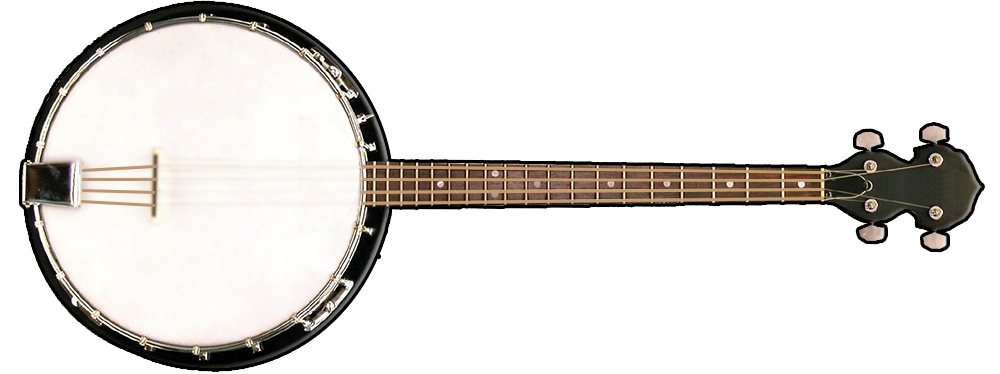
About the ButtonBass Banjo
The banjo has a bright, twangy sound that is instantly recognizable and deeply rooted in American musical traditions. From the bluegrass picking of Earl Scruggs to the clawhammer style of old-time Appalachian music, the banjo has been a driving force in folk, country, and roots music for well over a century. Our virtual banjo brings that distinctive sound to your browser, letting you pick out melodies on an interactive fretboard with no instrument, no picks, and no prior experience needed.
This free online banjo is part of ButtonBass, a music platform that has been helping people make music in the browser for over a decade. The banjo joins our family of string instruments alongside the acoustic, electric, distorted, and bass guitars — all playable the same way, with clickable strings, keyboard support, animated playback, and built-in songs.
How to Play the Virtual Banjo
Click the fretboard dots to play individual notes and hear the banjo's characteristic bright ring, or use your keyboard keys to pick out notes. The animated strings ring as you play, adding a realistic visual touch. Each key from the left side of your keyboard maps to a note up the neck, so you can roll through phrases quickly once you learn the layout.
Pre-loaded songs like Twinkle Twinkle Little Star are ready for instant playback — just hit Play. Use Stop to halt playback, Next and Previous to move between songs, and Clear to empty the note box. To create your own arrangement, type or paste a sequence of note letters into the text box and press Play. Adjust the tempo value to speed songs up or slow them down so you can learn a part at your own pace.
A Short History of the Banjo
The banjo's roots trace back to West Africa, where gourd-bodied, skin-headed string instruments were played for generations. Enslaved Africans brought that tradition to the Americas, and over the 1700s and 1800s it evolved into the wood-rimmed, drum-headed instrument we recognize today. By the late nineteenth century the banjo was a fixture of American popular music, and in the twentieth century it became the signature voice of bluegrass and old-time string bands.
That long history is why the banjo sounds the way it does: the taut drum head gives every note a sharp, percussive attack and a quick decay, perfect for the rapid rolls and driving rhythms the instrument is famous for.
Styles of Banjo Playing
Bluegrass (three-finger / Scruggs style) uses fingerpicks to play fast, rolling patterns and is the sound most people picture when they think of the banjo. Clawhammer and frailing are older down-picking styles central to old-time Appalachian music, with a steady, rhythmic drive. Tenor and plectrum banjo, often strummed with a flatpick, show up in Dixieland jazz, Irish traditional music, and early dance bands. You can explore the feel of any of these on the virtual banjo by experimenting with how quickly and in what order you trigger the notes.
Tips for Getting the Most Out of the Online Banjo
Start slow. Lower the tempo, play a built-in song, and watch which strings light up so you can connect the keys to the sound. Once a phrase feels comfortable, raise the tempo back toward full speed. Try building a short loop in the note box and repeating it to get the rolling, hypnotic quality real banjo playing has. Because everything runs in your browser, you can practice ideas instantly without tuning, picks, or setup — and it works on desktop, tablet, and phone.
More Free Music Tools on ButtonBass
Beyond the banjo, ButtonBass offers a growing library of browser-based instruments and games. Strum the acoustic, electric, distorted, and bass guitars, play virtual pianos and synthesizers, mix loops on 3D cubes like the Dubstep Cube 2, jump into the multiplayer Jam Room, or try rhythm games like Beat Slicer and Piano Drop. Every tool is free, works on any device, and requires nothing more than a modern web browser.


Comments